Wednesday, January 22, 2014

Using Your Tips!


Hello Everyone!  Welcome to another Copic Oz Tutorial!!  It's scorching hot here in the Australian Summer and with Australia Day this week-end, I'm sure everyone's thoughts are turning to keeping cool and for those close enough, escaping to the beach!  Today's tutorial is beach inspired and I'm going to talk about TIPS and I don't mean handy hints.....today it's all about using the tips of your brush nibs!

Usually when you start using your Copic Markers, there is a lot said about using the side of your brush nib to get a nice smooth coverage, which is perfect for a lot of occasions, however there are times when using just the tip will give you just the effect you are looking for!

I'm using this lovely relaxing beach scene (can't you just imagine yourself here!) by Our Daily Bread Designs.  And at first you may see those palms and think how can you colour and the sky too?  The easy thing to do is colour the sky first!  I've used B000

Next take your G24 and practise using just the very tip of your marker!  This also helps you develop a light touch which is very important - a heavy hand will leave big chunky streaks of colour.  You barely need touch the paper to get neat thin lines of colour.......let the marker do the work for you!

Now use this technique to add flicks of colour over the palm trees!

Now lets add some contrast by using G28, not quite as all over as the previous layer, but enough to add interest!

Now to tone it down a bit, I've gone back over with G24.....but NOT blending!  All of this is done only with the TIP of your brush nib!

So I'm happy with the tree tops and perhaps you are thinking that's all your tips have to do.....but no, now let's colour the sand!  Colour your base using E41 (with the side of your brush nib).

Now lets add a little texture by using the TIP of your brush nib using E42 and dotting on colour.  (You could also colour an entire image with this technique, known as pointillism!)

I'm enjoying the texture and decide to add more contrast with E43.  I've also used this colour to enhance the shadows of the trees on the sand.

What about the ocean?  I've base coloured with BG10.
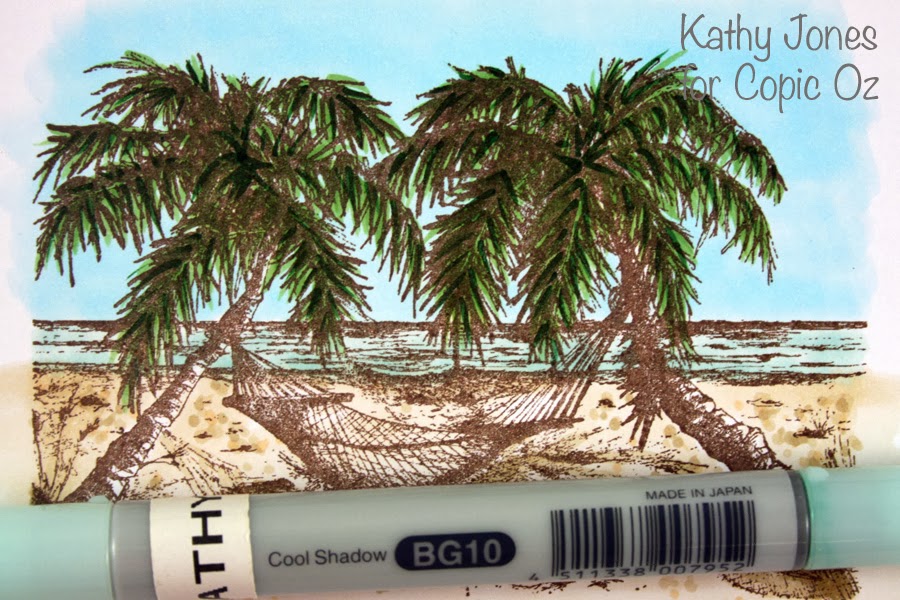
Then, use the TIPS of BG11 to add a few lines of colour in the ocean for waves/ripples and the tip BG72 across the horizon (the ocean always looks darkest at the horizon).

I got to the part and realised I hadn't coloured the trunks of the trees.....and yes, you can use your tips here too!!  I've base coloured with E21 and added a little blending with E23.

As most people who follow my work will know, I love contrast, so take the tip of E27 and run it down the sides of the trees where the shadows would be! (It's easy to find on this stamp as that is where the heavier lines are.)  Remember - have a LIGHT hand, practise on scratch paper if you need to!

Finish off your image!  I've used the tip of E23 to add a little colour to the hammock (couldn't do that with the side of your brush nib!) and also a little E84 for more shading on the sand and a little YG93 for the plants in the dunes.

So next time you're colouring, even though you do use the sides of your brush nib a lot - don't forget all the interesting effects you can create simply by using your TIPS!!

I hope you've enjoyed today's tutorial and whether you are by the beach this Sunday, in the pool, having a BBQ or a little backyard cricket, I hope you all have a wonderful Australia Day!

Happy Colouring!
Kathy  :)

Pin It

Wednesday, January 8, 2014

Copic Junk Journal Page

Hoping you all had a wonderful Christmas and that Santa brought you something Copic related!  Today I'm using my Copics to create and alter a Junk Journal page!  People often ask me how I deal with the bleed through from the front of the page I'm working on - onto the back of the page, when I create in my Copic Art Journal.  Well  this is one of the ways I make use of all the pages including the grubby back - just add a little collage!

To create your own Junk Journal page - you will need to gather some collage supplies - I collected some photos, the front of a Christmas card, wrapping paper, the recipe for the dessert I made and a photocopy of one of our favourite Christmas songs!


To begin, I cut the recipe and the song score to the same size as my journal pages, then I stuck a piece of the wrapping paper onto the left and right sides to create a border.  I picked one of the colours on the Christmas card and found a matching Copic Marker (V99), then using the method for Copic Stamping I stamped Snowflakes from Flourishes 'Handmade Snowflakes Set' over my background papers.


To make the background paper match the wrapping paper, I used my airbrush to add colour - I used E81 & E84 to colour the pages.


The next challenge was the photos which all had very different colours, particularly in the backgrounds.  So knowing that these were printed with Copic safe ink (these were done on a laser printer - though some ink jet printers also have Copic safe ink), I used T0, T1, T3, T5 and T7 to colour the backgrounds of each photo.  This not only made the images coordinate a little better, but it also added a little frame to the images and made the central figures stand out more.
You can see in the photo below the Copic on the left and the original background on the right, even on the first coat the grey is making the image look more interesting.


Once all the backgrounds are coloured, use fancy washi tape to stick the photos onto your pages (trim off any overhanging bits).


At this point I decided I wanted to add some journaling, but there was nowhere to write!  So I used my Molotow Marker (white 4mm) to add some journaling circles.  I applied the paint using a water marker so that some of the background peeked through.


Hmm - my pages still don't quite match - I need to find a way to bring a little of the colour from the trumpeting angel image onto the right side page.  Now I know this isn't the traditional colour for holly, but honestly it's the only Christmas image I know how to draw!  So I've used a Copic Multi Liner 0.3 to draw some holly leaves and berries onto some X-Press It Blending Card.

To colour the berries I've started by colouring the whole thing with V91.


I've added V93 - leaving the lightest spot uncoloured and a tiny strip on the bottom of the berry to look like reflected light.


Next I've added the darkest colour V99, being very careful to leave the reflected light strip uncoloured.  This darker colour is what gives the shape to the image.


I've blended the darker colour out a little with V95 - and have then added 2 more layers of each colour - being careful the whole time to leave the light spots alone, only at the very end have I gone and added another layer of V91 to blend the colours a little more.


I've added some white Molotow Paint Marker the to lightest part of the berry to add shine and have moved on to colouring the leaves.

For the leaves I've started with a base coat of  Y13.  Now these are going to be golden leaves, but it's not my usual gold colour combo as I wanted these to match the gold of the angel - which was more of an 'old' gold colour.


Then I've added Y28 - using light feathery strokes.


I've layered YR24 over the top to add contrast.


And finally Y15 on the edges to lightly blend between the Y13 and the YR24 - though I'm making sure to leave this highly textured and not actually blend the colours.    I've added 2 more layers of each colour, trying to leave the Y13 as 'bright' spots.  To finish I've added a little Gold AtYou Spica pen to the leaves.


The finished gold leaves match the angel and are very eyecatching.


Add a little journaling and doodling and the page is finished.


Products Used:
  • Copic Markers
    Background of Page: E81 & E84
    Background of Photos: T0, T1, T3, T5 & T7
    Gold Leaves - Y13, Y15, Y28 & YR24
    Berries - V91, V93, V95 & V99 and T1, T3, T5 & T7 for shadow
  • AtYou Spica Pens - Clear and Gold
  • Molotow Paint Markers - White (EF), White 4mm & Black (EF)

We would love to see what you have created over the Christmas holidays, so make sure to share on the Facebook page!

Back soon with more,
Kate
Enhanced by Zemanta
Pin It

Wednesday, December 11, 2013

Festive Bottle Tag


Hello Everyone!  Today I'm getting in the Christmas Spirit by creating a project perfect for dressing up a bottle of wine!  It's that time of year, Christmas drinks and gatherings galore - why not add a little extra touch to your hostess gift by making a fabulous Bottle Tag!

First, cut a piece of card 7cm x 20cm and then score one end at 6 1/2cm.


Next cut a circle in the top of the tag using a punch or a die (I've used Spellbinders Large Circle Nestabilities #3 Die) - just make sure that the hole is big enough to go over the top of your bottle!

Next, trim the top corners (if you wish) using a corner rounder.

Measure where the centre of the tag is and cut into a fishtale shape.

Now that I have my tag base, I've stamped the Santa hat from Flourishes' Dear Santa stamp set in Memento Tuxedo Black onto X-press It Blending Card and laid down a base of R32 Copic.

Flick in some R35 from the sides.


Deepen those edges with R37.


Blend using the above colours (blend R37 with R35, the use R32) - Remember your Colourless Blender doesn't work with red due to the intense colour, so make sure you stay in the lines!  :)  I liked the way this was looking, but decided to deepen the shadow areas in the folds and where the hat folds over with R39.

Colour the rest of your hat using G21, G24 and G28 for the holly leaves; Y21, Y26 and Y28 for the bells, the same reds for the berries and W1 and W3 for the white fluffy parts of the hat.


While colouring, I've decided on a design for my tag and measured and cut the paper and card for it!  I've also fussy cut the hat.


I want to make sure that my tag doesn't fall apart, so I've attached all the pieces together with High Tac Double Sided tape.


So far so good, now attach the Santa Hat with some High Tac Foam Tape to add dimension!


And there you have it......one Bottle Tag!!  Imagine how impressed your hostess will be when you present this fabulous gift!  :)


This is our last Copic Oz Tutorial this year and all of us would like to wish you and yours a very Merry Christmas and a Safe and Happy New Year!!  We hope you'll join us on January 8th for more new ideas and inspiration!

MERRY CHRISTMAS!
Pin It

Wednesday, November 27, 2013

A Very Copic Christmas

Hi Kate here and this month I'll be showing you two very quick and simple Christmas projects that you can complete in under 30 minutes - yes that's both in under 30 mins with the help of a Copic ABS (Air Brush System).

The first project is some Copic decorated wrapping paper, this is a wonderful way to re-use the brown or plain paper that you receive during the year, wrapped around other items.  The same technique will work on paper, tissue and even cellophane - so save all that wrapping and create your own Copic coloured decorator papers.


For this project you will need:

  • Copic Sketch Markers in coordinating colours (I used: B79, RV66  & BG57)
  • Copic Air Brush System
  • Stencil or template (I used a punched snowflake)
  • Recycled paper, tissue or cellophane
  • Length of white ribbon
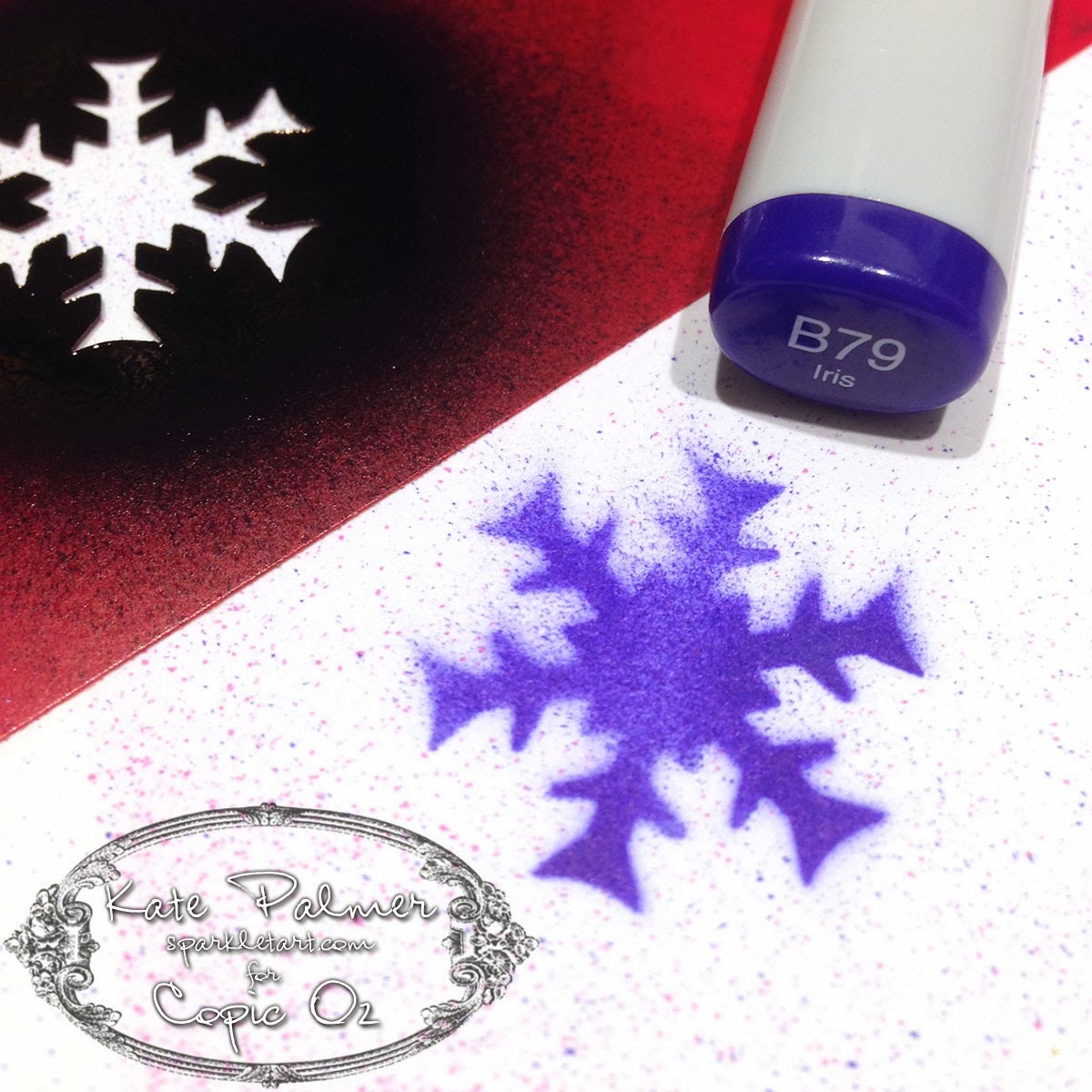
Begin by laying the stencil flat onto your paper and lightly spraying on the first colour (RV66) with the airbrush.  Move the stencil around, creating as many little Raspberry snowflakes as you like.


At this point you can continue to use the snowflake with the next colour (BG57) or you can use a different shape stencil for some variation.  Add as many Jasper (Blue Green) snowflakes as you like - just remember to leave some room for the 3rd colour.


Time to add the final colour, now B79 'Iris' is one of the stronger Copic colours, so spray this lightly and I didn't add as many snowflakes of this colour to my project, so as not to overwhelm the other colours.  Once finished adding snowflakes, put your paper aside to dry - this won't take long!


Now you don't HAVE to colour the ribbon to match - I just thought it was a cute accent.  For those of you who have coloured ribbon with your Copic Markers before you will know how long this can take and how much ink is used.  Well I'm happy to report that not only does colouring ribbon with the Copic ABS use much less ink, it's also loads faster and the results are beautiful!  All I've done here is airbrush the B79 onto the ribbon, I've added more ink to one side than the other so I will get a two-toned effect to the ribbon when I tie it.


And here is my Copic decorated wrapping paper and ribbon, cute, customised and quick!


Things to note:
  • When using small stencils like this one there will be some overspray (where the Copic ink sprays over the edge of the stencil onto your project), if you really don't want this, protect your project with scrap paper as you spray.  I didn't as I like the extra patterns it adds to the final piece.


For my second project I'm creating something slightly fancier - a stunning custom Christmas bauble. This really isn't as difficult as you may think - just don't drop it!


For this project you will need:


  • Copic Sketch Markers in coordinating colours (I used: B79, RV66  & BG57)
  • Copic Air Brush System
  • Snowflake Die
  • Mask It - masking film
  • Clear glass or plastic bauble
  • X-Press It Clear Gel Glue
  • Silver Glitter
  • Sticky tape and tissues

Begin by using your favourite die cutting system to cut some snowflakes from a sheet of Mask It film - this film has a sticky layer on one side making it a removable adhesive.  Today we won't be using the die cut shape, but rather the surrounds!   I cut 3 negative shapes to use - you may like to use more.


Remove the backing layer from the Mask it shapes and adhere the sticky negative shapes onto the bauble, you may need to cut them in 2 to fit onto the rounded surface - I also overlapped the pieces a little.  I then used sticky tape to attach some tissues to protect the rest of the bauble and keep it from being coloured.  Using my airbrush I have added a layer of BG57 as a base colour.


With the mask still in place add some of the RV66 - don't colour the whole thing, just add this to a few edges and maybe a little in the centre - remembering to leave space to add the 3rd and final colour.


Go ahead and add the last colour, I'm using a particularly dark colour B79 so am adding only a little!


Remove the tissue and repeat this whole colouring process, around the bauble until all of your die cut shapes have been coloured.


Remove the tissue and the Mask It and your project now looks something like this.  You might choose to leave it like this is you don't like glitter.


For my final step I have dribbled X-Press It Clear Gel Glue around the top of the bauble and let it drip down the sides a little - now this is very thick and needs some encouragement to drip.


While glue is still wet shake your favourite colour of glitter over the top and then hang somewhere safe and leave overnight to dry.  Once dry brush off any excess glitter and it's ready to use.


Wishing you all a very Merry Christmas (just a little early) and a wonderful new year...

Kate 

Enhanced by Zemanta
Pin It